


How to set up High Security Level 2 on your powerline products?
1
Put the adapters ona power strip
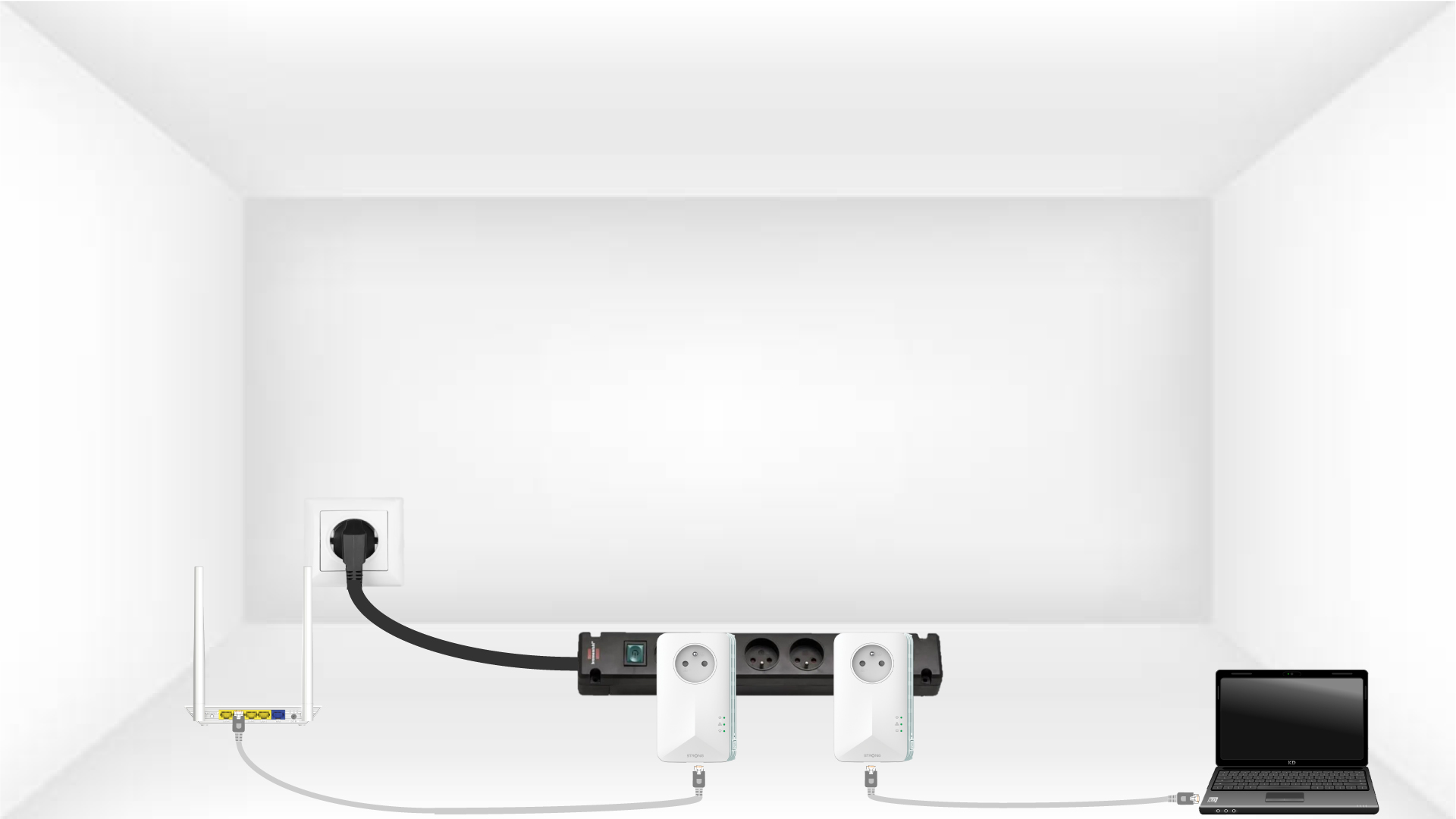
Take a power strip and plug all the powerline adapters on it.

2
Connect the adapters to the Internet
Connect one of the CPL adapters to the internet gateway/router with a RJ45 cable.
3
Press the PAIR button (first adapter)
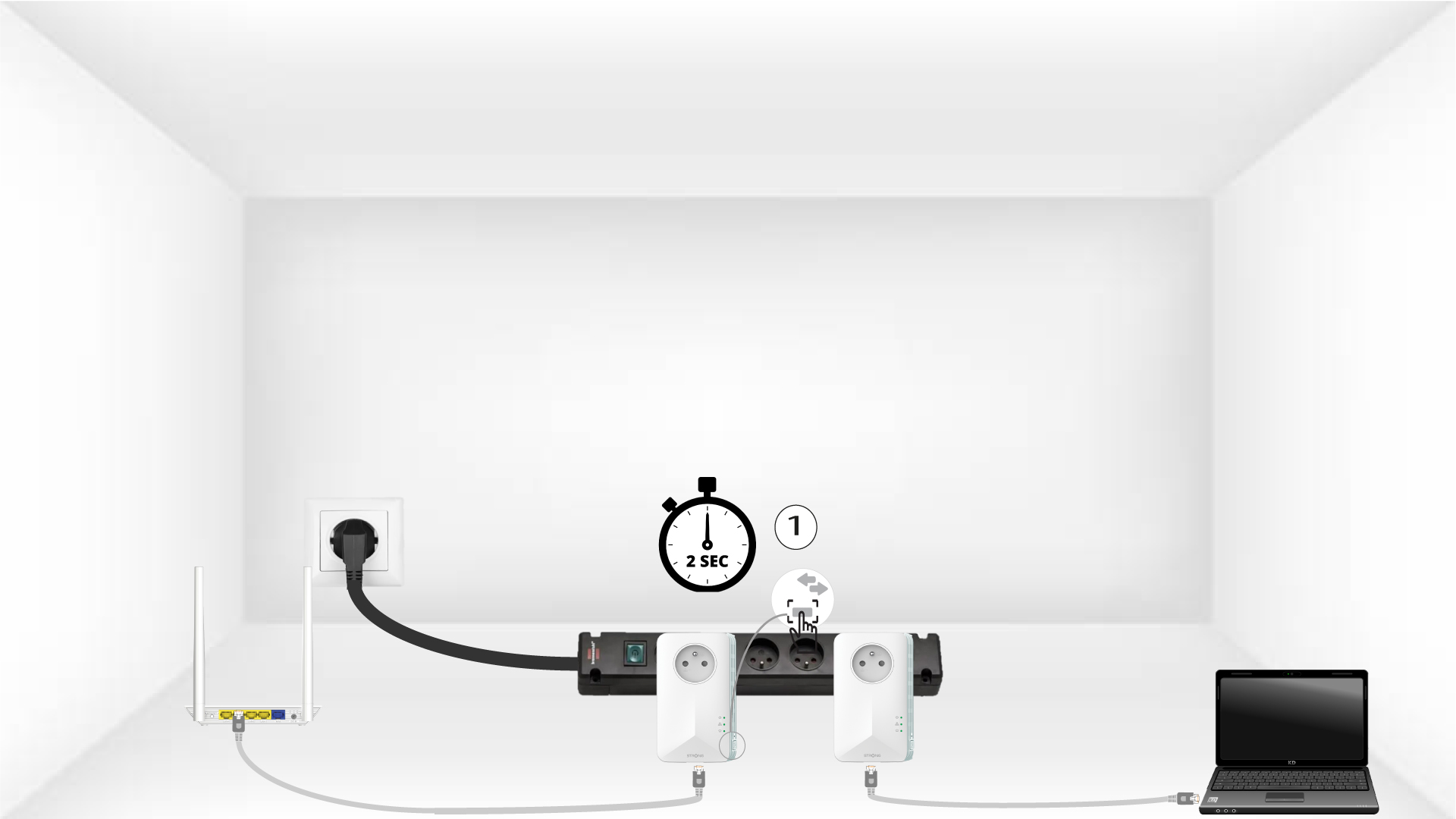
Then, press the “PAIR” button for 2 seconds on the first device.
4
Press the PAIR button (second adapter)
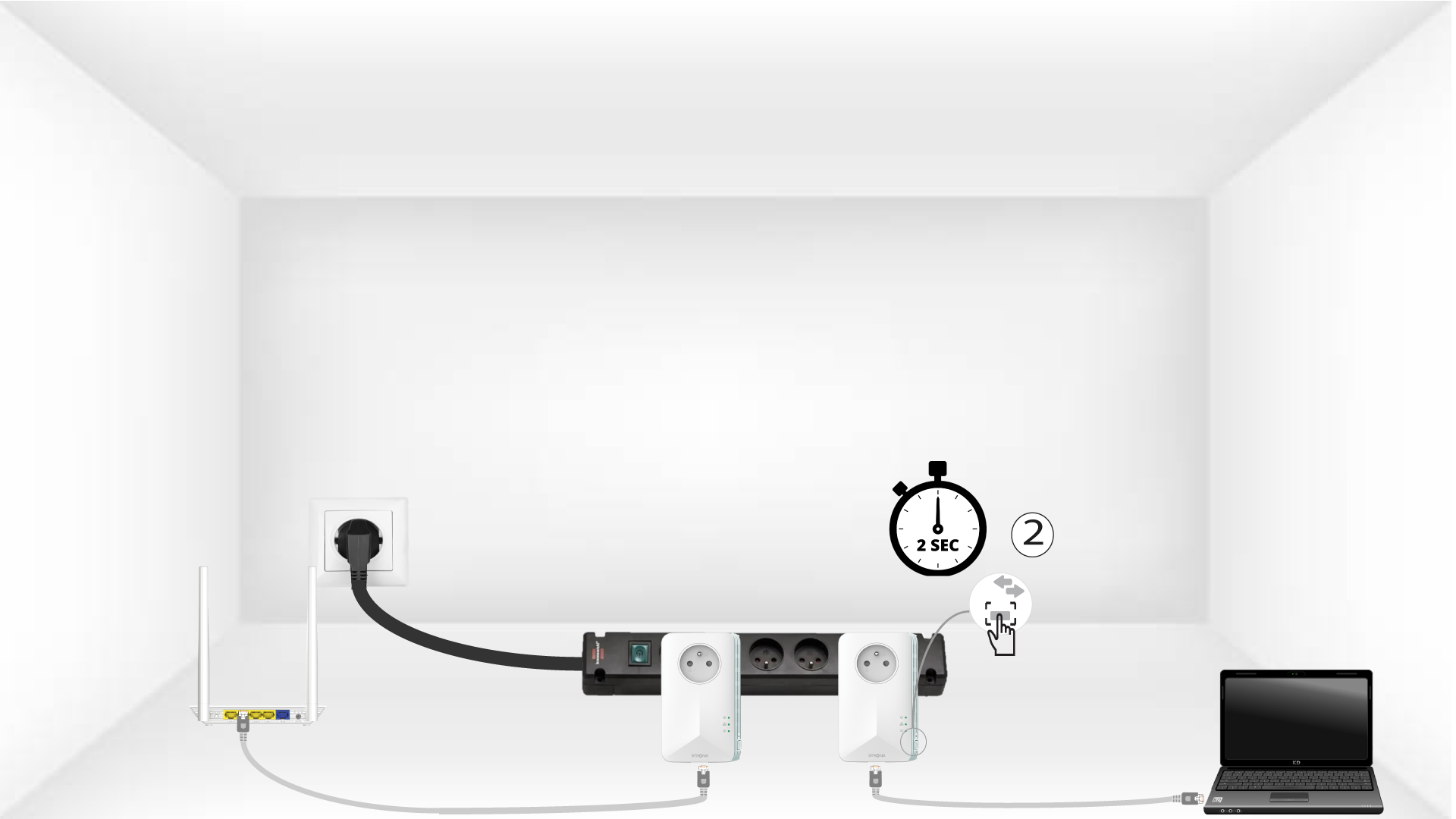
Press the “PAIR” button on the second device for 2 seconds. You have up to two minutes to do it.
5
Home LED blinks
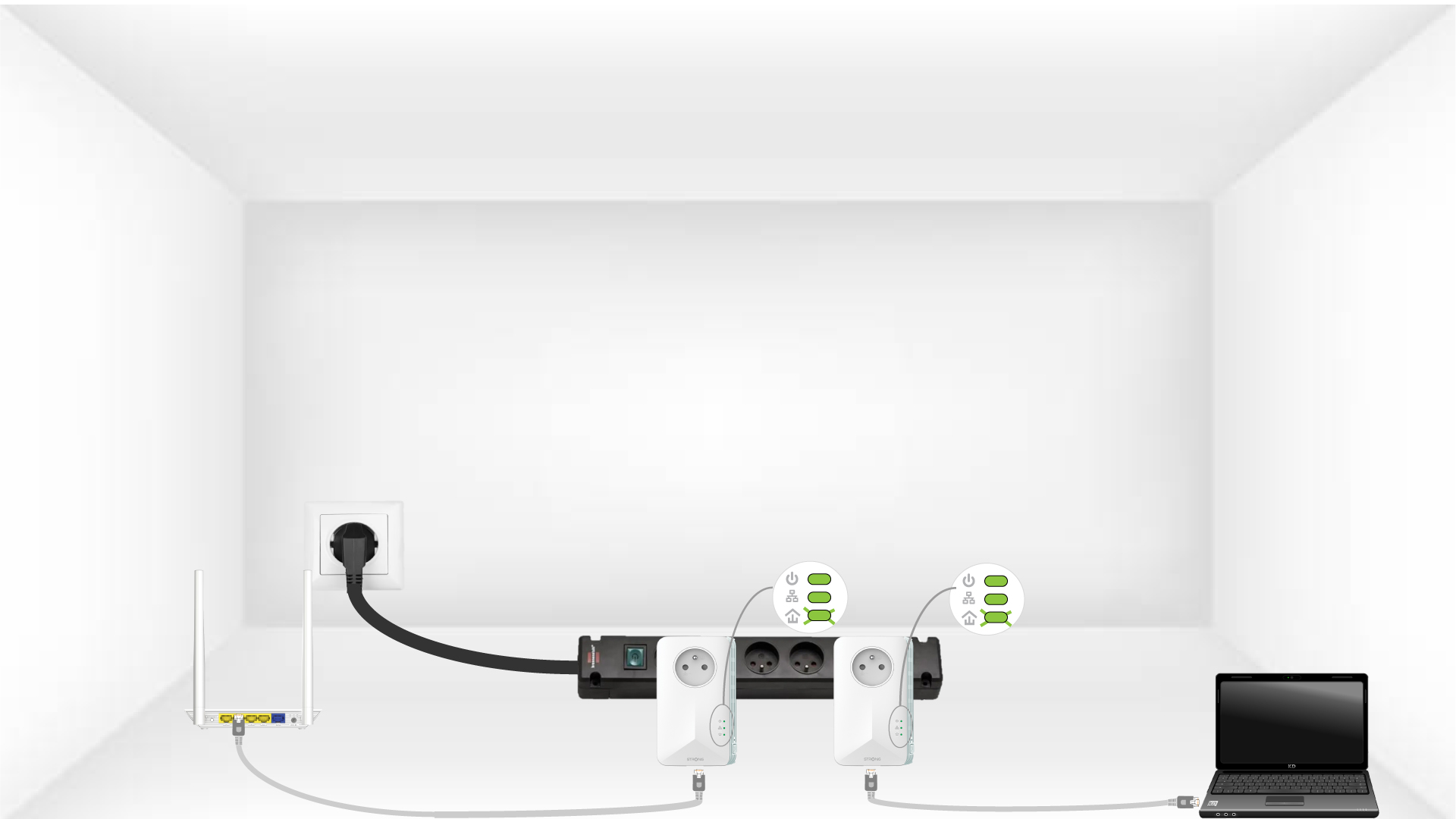
The home LED should blink on the two devices.
6
Adapters are reset
Your unique encryption key is now set, and all the LEDs of the devices should be green.

Now, you must install the adapters in the rooms where you need them. We strongly recommend not to put the adapters on a power strip.