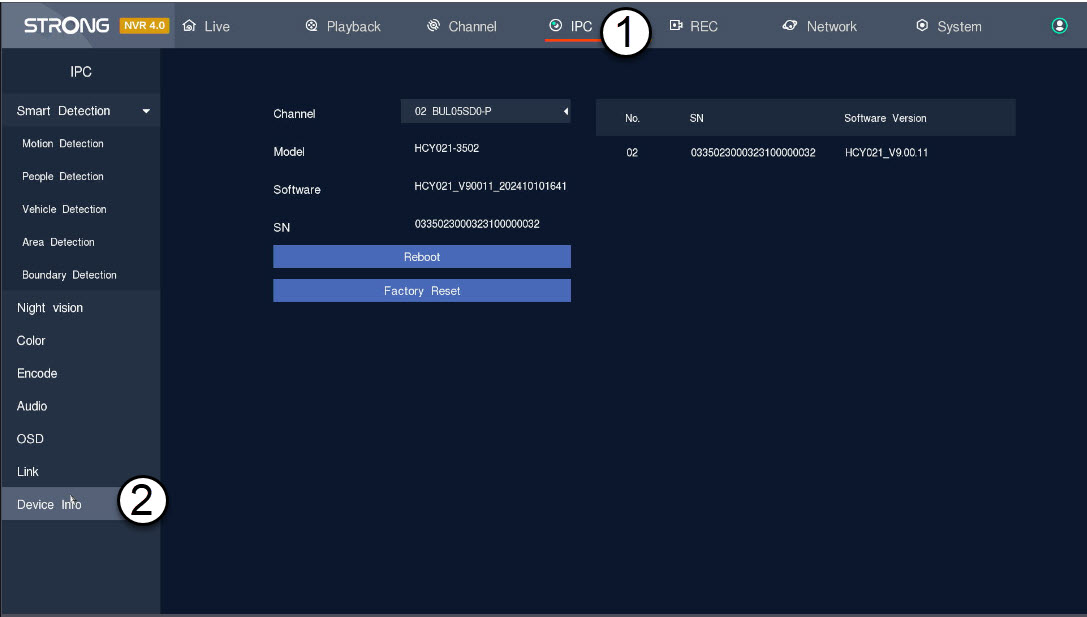
How can I perform a factory reset of my camera in the NVR?Home How can I perform a factory reset of my camera in the NVR? You can reset your camera to its factory settings. 1 Access the Camera Settings Panel Click IPC and Device Info. 2 Choose and Restore Camera Settings Select the camera from the Channel list and click Factory Reset . PrevPreviousHow do I set up or manage my admin and user passwords in the NVR? NextHow do I update my camera in the NVR?Next