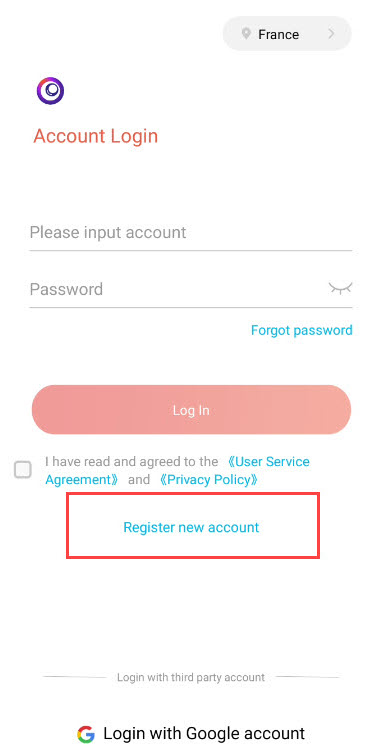
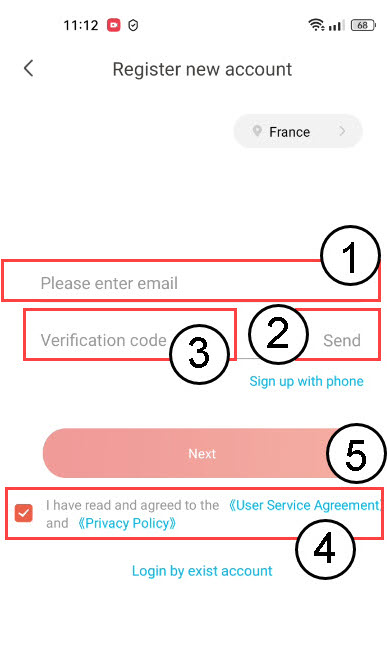
How do I register an account on the Vision by Strong App?

 Hrvatski
 Български(Bugarski)
 Čeština(češki)
 Dansk(Danski)
 Nederlands(Nizozemski)
 English(Engleski)
 Suomi(Finski)
 Français(Francuski)
 Deutsch(Njemački)
 Magyar(Mađarski)
 Italiano(Talijanski)
 Norsk bokmål(Književni norveški)
 Polski(Poljski)
 Português(Portugalski (Portugal))
 Română(Rumunjski)
 српски(Srpski)
 Slovenčina(Slovački)
 Slovenščina(Slovenski)
 Español(španjolski)
 Svenska(švedski)
 Українська(Ukrajinski)