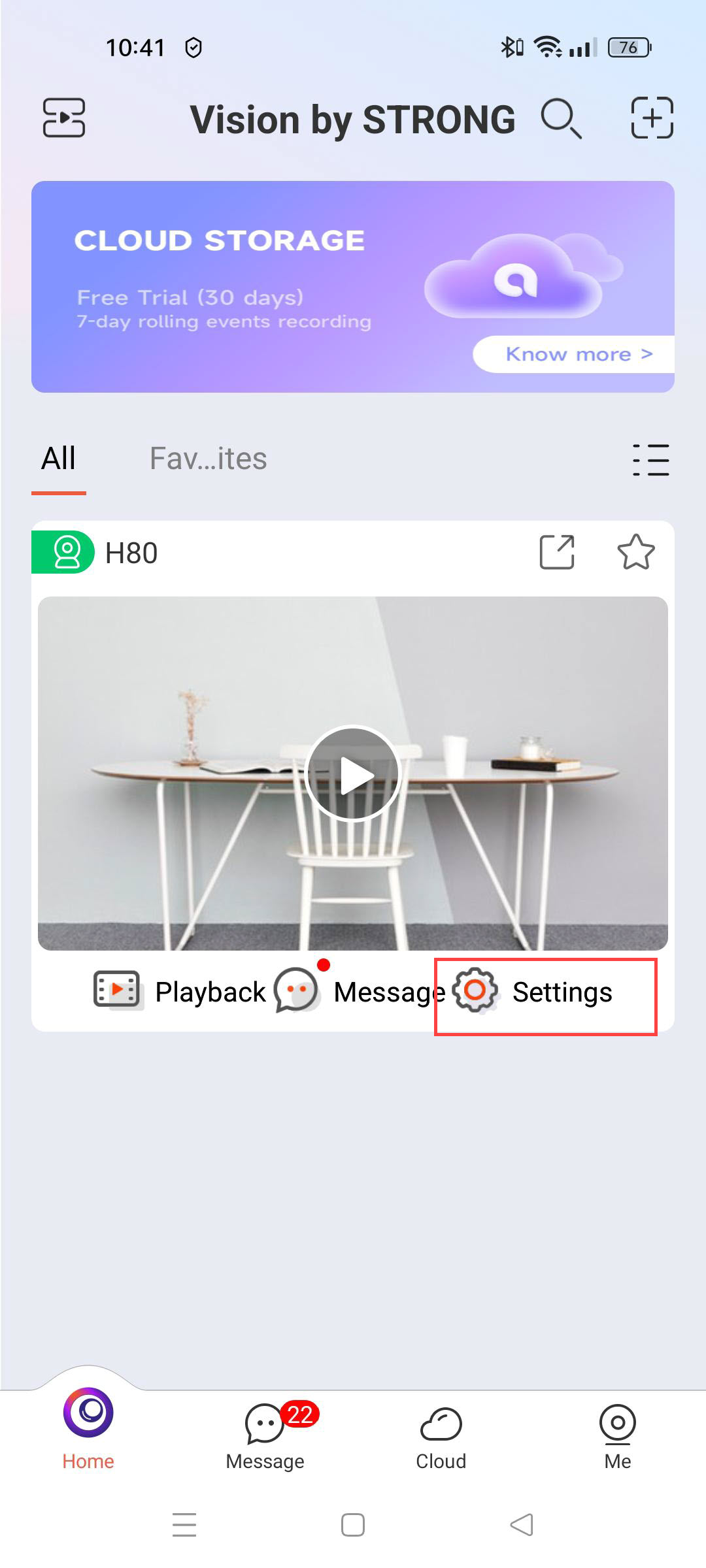
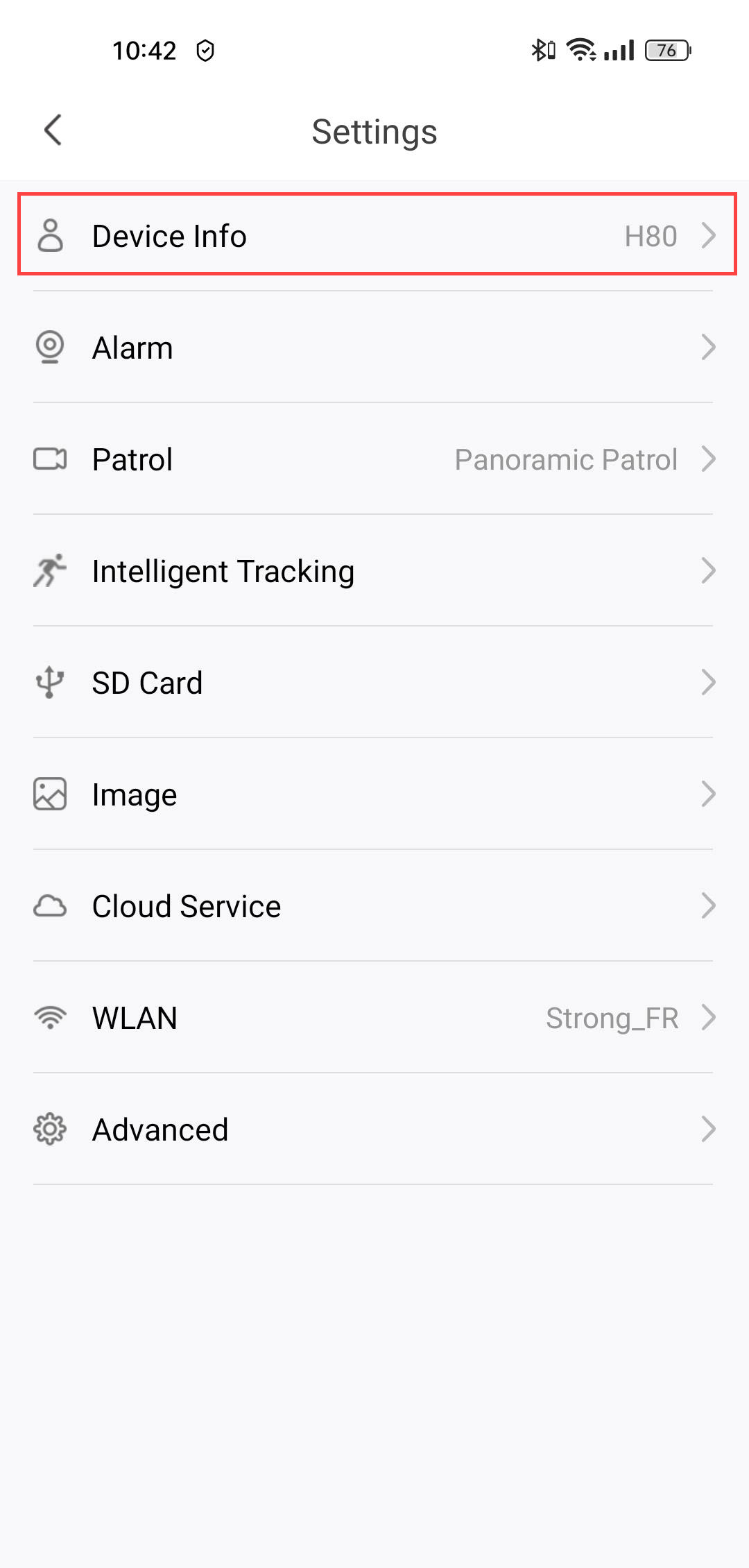
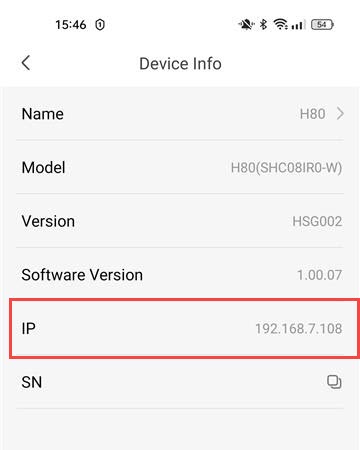
How do I find the IP address of my camera?

 Dansk
Dansk
 Български(Bulgarian)
 Hrvatski(Croatian)
 Čeština(Czech)
 Nederlands(Dutch)
 English
 Suomi(Finnish)
 Français(French)
 Deutsch(German)
 Magyar(Hungarian)
 Italiano(Italian)
 Norsk bokmål(Norwegian Bokmål)
 Polski(Polish)
 Português(Portuguese, Portugal)
 Română(Romanian)
 српски(Serbian)
 Slovenčina(Slovak)
 Slovenščina(Slovenian)
 Español(Spanish)
 Svenska(Swedish)
 Українська(Ukrainian)