
Sari la conținut
  • Acasă
  • Documentație tehnică
  • Acasă
  • Documentație tehnică
  • Română
    • Български (Bulgară)
    • Hrvatski (Croată)
    • Čeština (Cehă)
    • Dansk (Daneză)
    • Nederlands (Olaneză)
    • English (Engleză)
    • Suomi (Finlandeză)
    • Français (Franceză)
    • Deutsch (Germană)
    • Magyar (Ungară)
    • Italiano (Italiană)
    • Norsk bokmål (Bokmål (norvegiană))
    • Polski (Poloneză)
    • Português (Portugheză (Portugalia))
    • српски (Sârbă)
    • Slovenčina (Slavă)
    • Slovenščina (Slovenă)
    • Español (Spaniolă)
    • Svenska (Suedeză)
    • Українська (Ucrainiană)
    • United Kingdom
Home

How do I access the Web UI?​

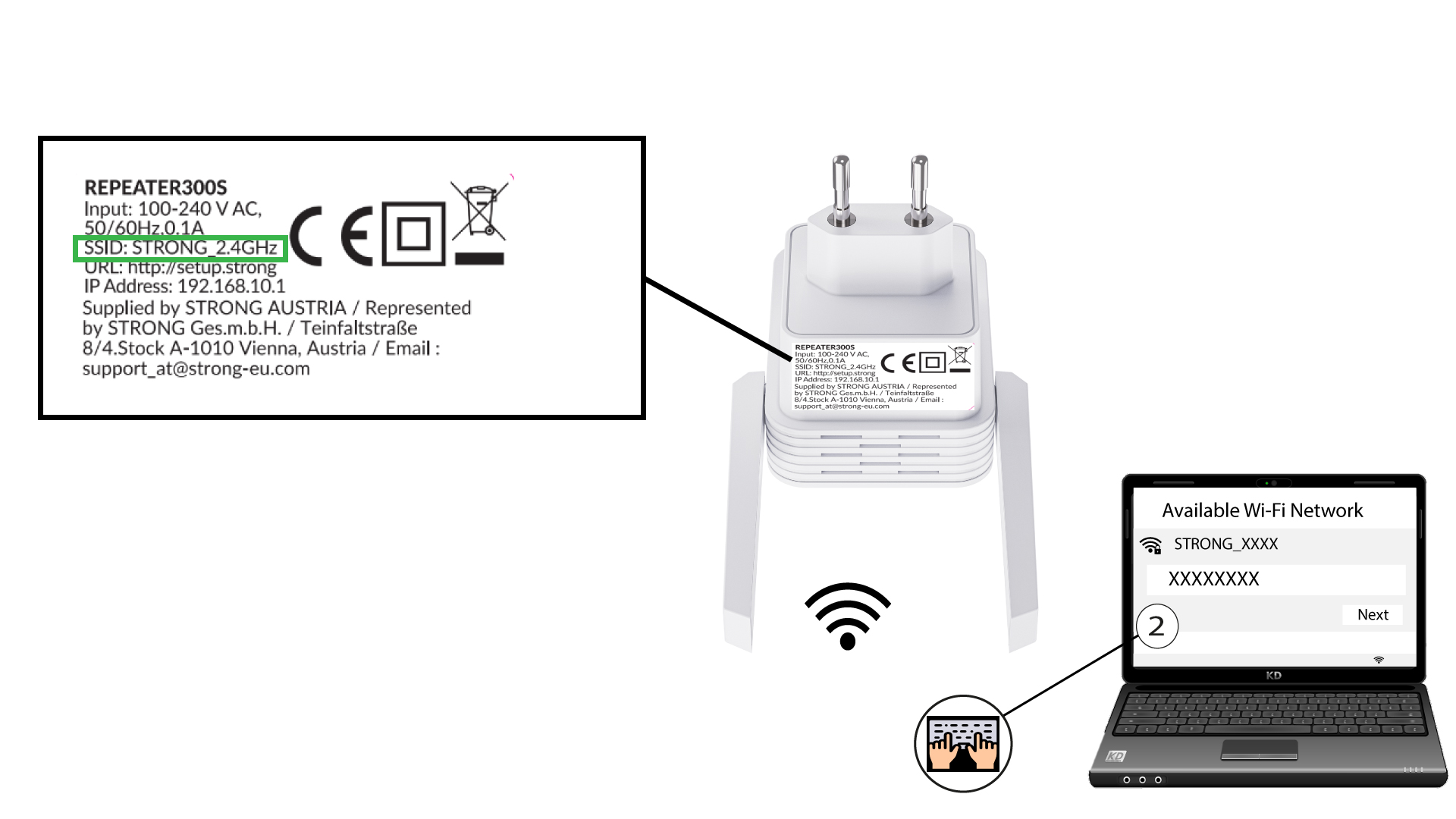
1 Connect to the Wi-Fi of the repeater

Connect to the Wi-Fi of the repeater by referring to the product label located under the product.

2 Browse to the URL of the Web UI

Browse to the URL of the Web UI: http://setup.strong

3 Create your admin password

Enter the following information before clicking Commit:

  • Create Password: Enter a password.
  • Confirm Password: Enter the same password.

The password must contain between 8 and 32 characters (lowercase, uppercase, special characters). The following special characters are allowed: @ ! § ?* % &

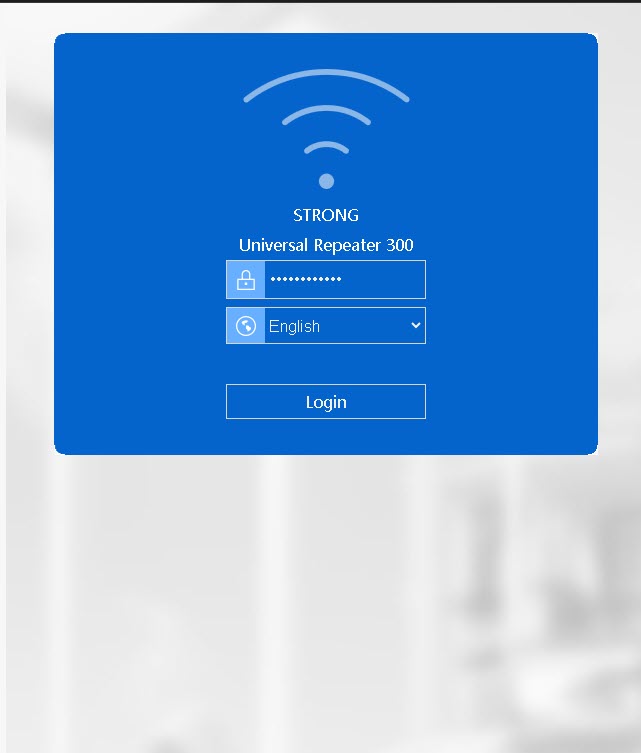
4 Enter your credentials

Enter the password that you created and click Login.

PrevPreviousHow can I connect my device to my repeater 300S for the installation?
NextHow do I connect to the Web UI after the configuration?Next
Menu
  • Acasă
  • Documentație tehnică
  • Acasă
  • Documentație tehnică
  • Română
    • Български (Bulgară)
    • Hrvatski (Croată)
    • Čeština (Cehă)
    • Dansk (Daneză)
    • Nederlands (Olaneză)
    • English (Engleză)
    • Suomi (Finlandeză)
    • Français (Franceză)
    • Deutsch (Germană)
    • Magyar (Ungară)
    • Italiano (Italiană)
    • Norsk bokmål (Bokmål (norvegiană))
    • Polski (Poloneză)
    • Português (Portugheză (Portugalia))
    • српски (Sârbă)
    • Slovenčina (Slavă)
    • Slovenščina (Slovenă)
    • Español (Spaniolă)
    • Svenska (Suedeză)
    • Українська (Ucrainiană)
    • United Kingdom

© All Rights Reserved STRONG GROUP 2025.