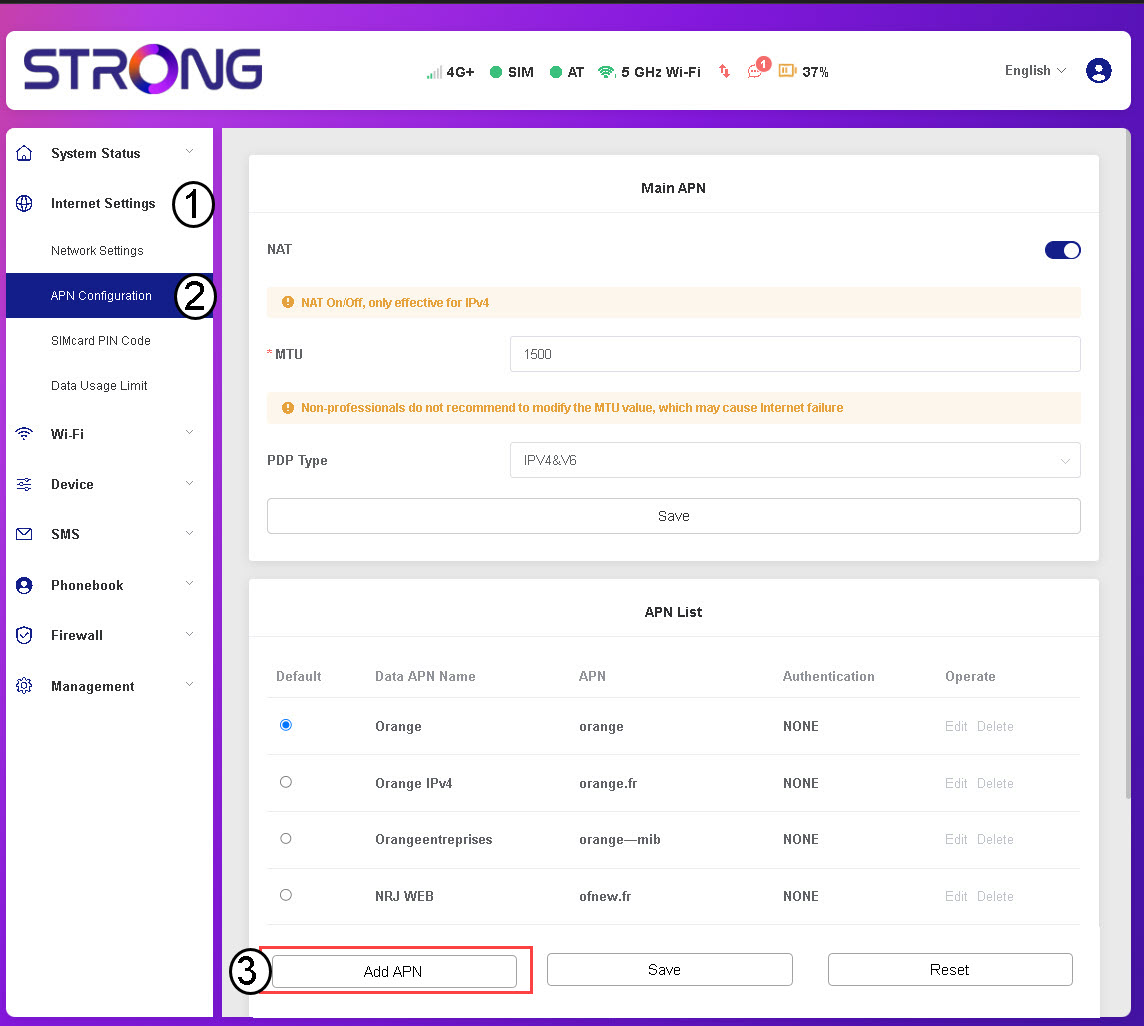
How do I manage the APN Settings of my device?

 Hrvatski
 Български(Bugarski)
 Čeština(češki)
 Dansk(Danski)
 Nederlands(Nizozemski)
 English(Engleski)
 Suomi(Finski)
 Français(Francuski)
 Deutsch(Njemački)
 Magyar(Mađarski)
 Italiano(Talijanski)
 Norsk bokmål(Književni norveški)
 Polski(Poljski)
 Português(Portugalski (Portugal))
 Română(Rumunjski)
 српски(Srpski)
 Slovenčina(Slovački)
 Slovenščina(Slovenski)
 Español(španjolski)
 Svenska(švedski)
 Українська(Ukrajinski)
 United Kingdom