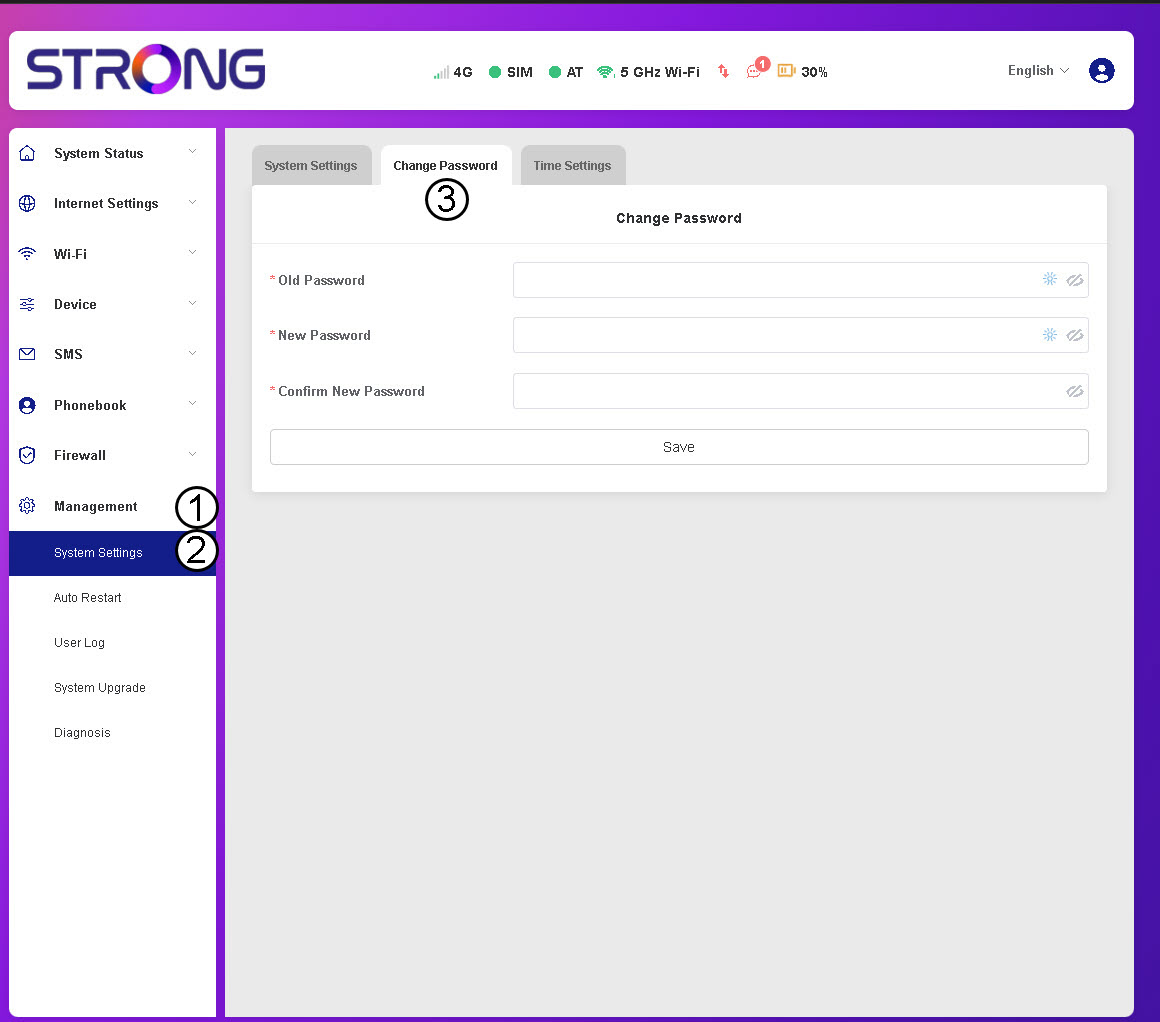
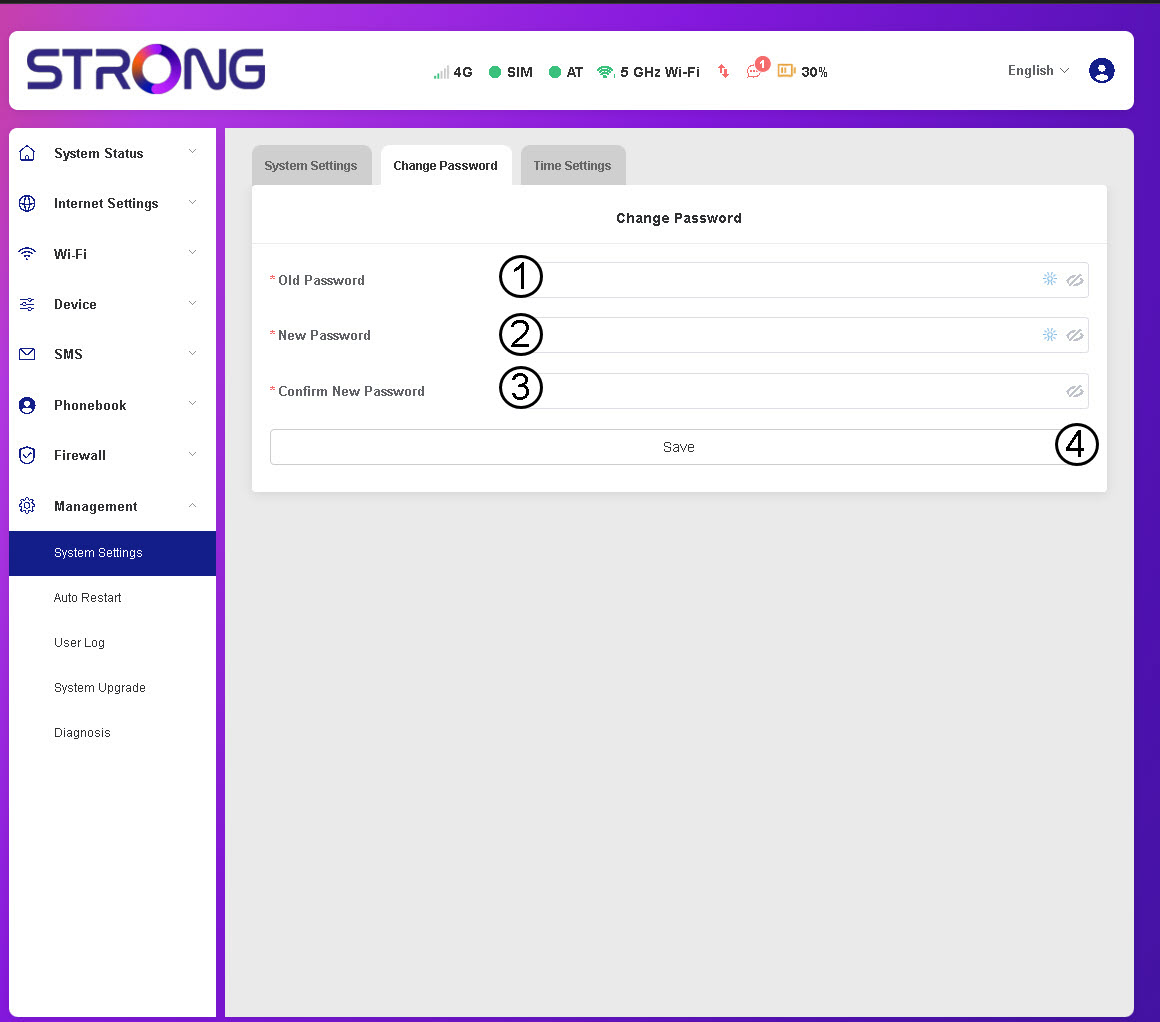

WARNING: If you have forgotten your current password, you will need to reset the device to its factory settings.

 English
 Български(Bulgarian)
 Hrvatski(Croatian)
 Čeština(Czech)
 Dansk(Danish)
 Nederlands(Dutch)
 Suomi(Finnish)
 Français(French)
 Deutsch(German)
 Magyar(Hungarian)
 Italiano(Italian)
 Norsk bokmål(Norwegian Bokmål)
 Polski(Polish)
 Português(Portuguese (Portugal))
 Română(Romanian)
 српски(Serbian)
 Slovenčina(Slovak)
 Slovenščina(Slovenian)
 Español(Spanish)
 Svenska(Swedish)
 Українська(Ukrainian)
 United Kingdom
WARNING: If you have forgotten your current password, you will need to reset the device to its factory settings.